Current Project & Dashboard
透過左側選單的「Current Project」,您可以查看當前的 Project 名稱並快速切換至其他 Project 進行操作。
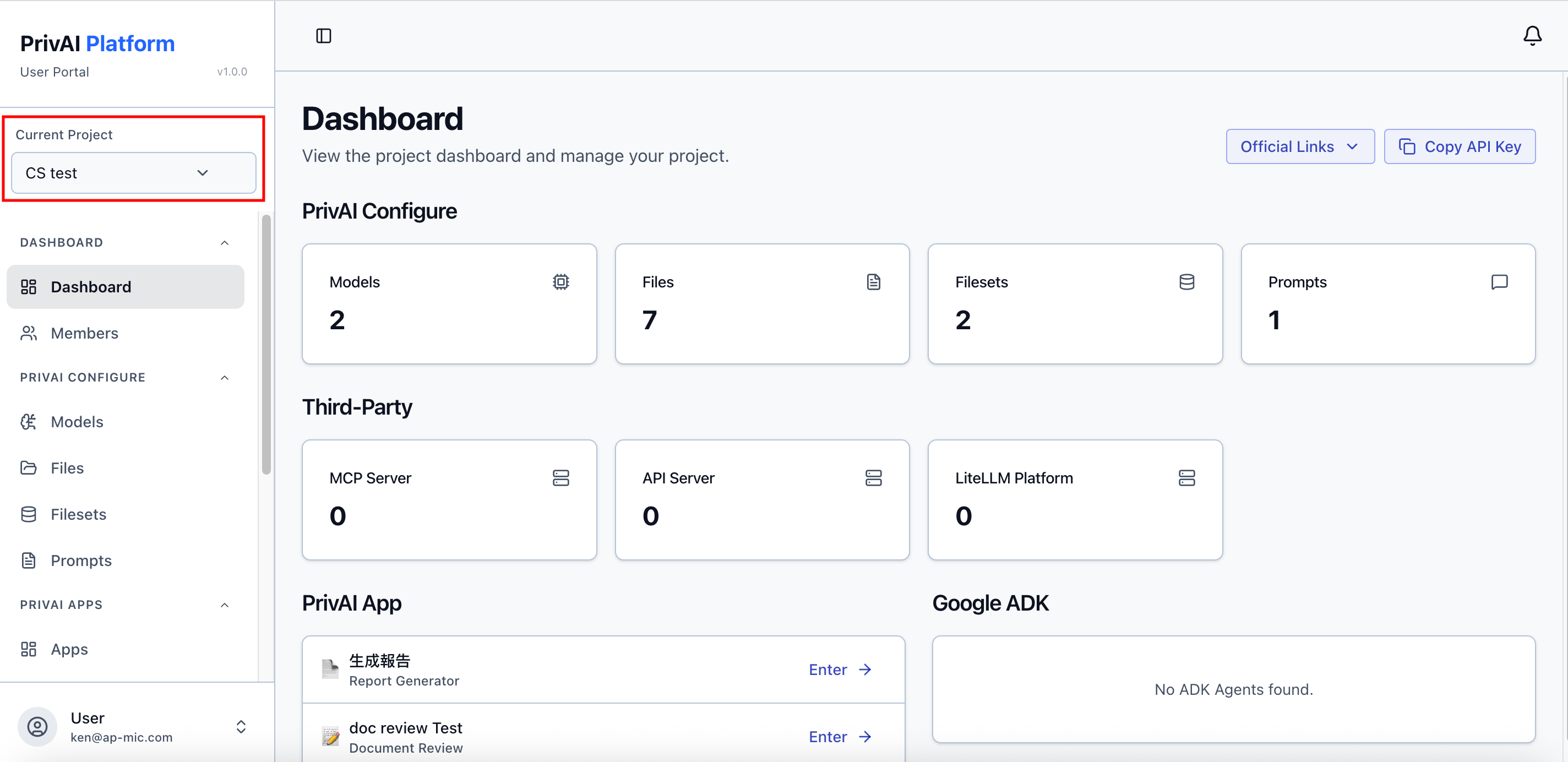
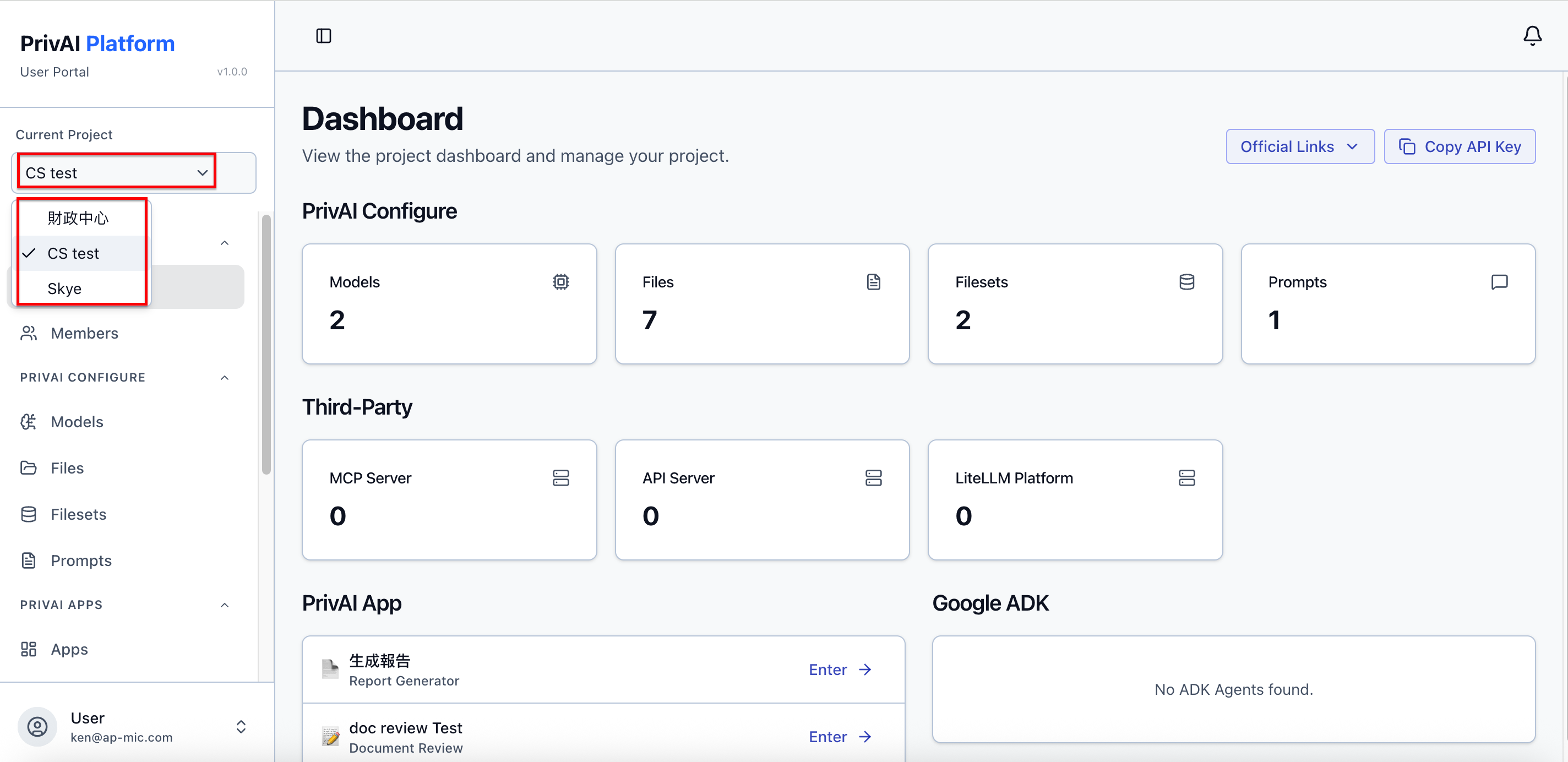
此外,當您登入平台或是切換 Project 後首先會進到的是 「Dashboard」頁面,在此頁面中您會看到以下各種區塊:
-
Official Links:位於頁面右上角,裡面有 APMIC Website、PrivAI Document 及 Google ADK Document 的連結可點擊。
-
Copy API Key: 位於頁面右上角,點擊後可複製此 Project 的 API Key。
-
PrivAI Configure: 此處會顯示此 Project 中目前可使用的 Models 數量及目前已建立的 Files、Filesets 及 Prompts 數量。
-
Third-Party: 此處會顯示此 Project 中目前已新增的 MCP Server 、API Server 及 LiteLLM Platform 數量。
-
PrivAI App: 此處會顯示此 Project 中目前已建立的 Apps。
-
Google ADK: 此處會顯示此 Project 中目前已建立的 ADK Agents。